Tuesday, 13 January 2009

Silverlight 2 Runtime and SDK Control Source Code Released


Microsoft just released the source code for the Silverlight 2 runtime and SDK controls. Anyone who says they’re not contributing to the world of code definitely needs to take a closer look since they’ve released a ton of code from .NET, ASP.NET, plus more over the past few years. The amount they’ve opened up is actually pretty amazing compared with how they used to be when I first started writing Microsoft applications.
The Silverlight 2 source code release contains a solution with 3 projects including the Silverlight controls (which is nice for editing control templates even though you can get that info from Reflector), a sample project and a design project. Here’s what the solution looks like in Visual Studio 2008:
hose new to Silverlight can learn a lot about how to write custom controls as well as best practices. More information about the source code release can be found here. The source code can be downloaded from here.

China online porn crackdown: 91 sites down, thousands to go


China's war on porn has taken down nearly a hundred websites so far, and there's no sign of stopping anytime soon. Ninety-one websites have been taken offline for hosting or pointing to pornographic and "vulgar" content since last Thursday, according to the state-run news agency Xinhua, and authorities are continuing to crack down on sites that the government doesn't feel is appropriate for young people.
China wants online boycott of "decadent, backward thoughts"
China targets Google, Baidu in latest 'Net filth crackdown
Olympic committee to China: Don't forget to open the 'Net
Chinese openness to Wikipedia fleeting at best
Pornography has been and is still illegal in China, but it's not difficult to get, thanks to technology and the Internet. China attempts to block access to porn through its infamous Great Firewall, but even that has its flaws and determined users can still seek out the uh, "relief" they need without much searching.
The Chinese government has repeatedly condemned Internet pornography for "perverting China's young minds," which has led to its newest initiative to "purify the Internet." Two of the sites shut down over the weekend include www.789b.com and www.678tp.cn, neither of which have been accessible since Sunday, and there are more on the way. "Authorities have vowed to beef up crackdown efforts in the following days and urged law-breakers to voluntarily turn themselves in to local public security departments," noted Xinhua.
Now, not only is China looking at sites that host vulgar content, it also has search engines like Baidu and Google in its crosshairs for not doing enough to block links to porn in an "efficient" manner. In fact, authorities named some 33 sites for merely linking to porn in an attempt to shame them into complying. But while the companies may be able to reduce some of their links to the more obvious porn sites, it will be no small feat to attempt to eliminate them altogether. The Internet moves quickly and search engines index new content almost as fast. Whether Google or Baidu will be able to meet China's demands remains to be seen, but we're sure glad we're not the ones trying to figure out how to do it.

Microsoft Invests in Touch

Microsoft is the key investor in the latest round of funding to N-trig, a supplier of digitizers and software that enable touch-based computing.
N-trig, an Israel-based company with a U.S. office in Austin, Texas, today announced it has received $24 million from Aurum Ventures, Challenger Ltd., Canaan Partners, Evergreen Venture Partners and Microsoft. While N-trig is not providing a breakdown of the financing, Microsoft is leading the investment, according to an N-trig spokeswoman.
Microsoft's investment in N-trig is noteworthy because the company is a key provider of the touch technology used in numerous tablet PCs and recent touch-enabled computers, such as Dell's Latitude XT and Hewlett-Packard's TouchSmart tx2. Microsoft has also been talking up the touch capabilities in its forthcoming Windows 7 operating system, which was released for beta testinglast week.
N-trig demonstrated its DuoSense technology on the pre-beta release of Windows 7 at the recent Windows Hardware Engineering Conference (WinHEC). The digitizer will provide a data stream based on the Windows 7 architecture, said Lenny Engelhardt, vice president of business development, in an interview in November.
"Microsoft came to us early on and said, 'Look, we want to allow, in Windows 7, true multi-touch from the operating system level,'" Engelhardt said.
While there is no shortage of skepticism over whether touch will become anything more than a niche market, Englehardt believes the release of Windows 7 will give it broader appeal. That said, he admitted, "I don't think the mouse will disappear."

Sony CES 3D tech already outdated, something better coming


During CES, Ars was shown a "great" 3D display at Sony's massive booth. While the Sony representative wouldn't tell us how the effect was achieved, a well-placed source just passed us some information about what technology the screens used to show those PS3 games in three dimensions, and then explained why it will never see the light of day. What will we see in the future? Standardized, full-resolution 3D displays.
CES 2009: Sony teases with high-quality PS3 3D
"The LCDs Sony is using use a technique called 'Micropolarization' (often abbreviated as Xpol)," Ars was told. "Put simply, the display is layered with a polarizing filter that actually polarizes every other horizontal line of the display to 'spin' the light in a different direction. The glasses you're wearing (provided by RealD) only accept light spinning in one direction to the eye it is covering. That's how each eye gets a different angle and, ultimately, how your brain interprets 3D."
This is the same technology used in movie theaters, which is why the RealD glasses work. "The difference is, at the cinema, a full frame image is painting on the screen and an active LCD polarizer spins the light for one whole frame in the same direction so that you get Left-Right-Left-Right sequential," the source claimed.
"Of course the limitation here is obvious—the Sony LCD's only show half resolution to each eye. It looks perceptually very close to HD after your brain slaps it together, but the lower resolution is apparent if you examine the screen more closely." That's something no one on the show floor had a chance to do, as writers and industry professionals jockeyed for position.


The truth is, according to our source, Sony has no intentions of selling the technology it showed at its booth. That's why no PR people wished to talk about it; there will never be a product that Sony shows with that form of 3D.
After communicating a few times with our source, whose job makes it very important that he or she stay up to date on where 3D is going, it sounds as if there will be a big announcement in the world of 3D displays sooner rather than later. 3D in the consumer space will never get off the ground unless there is a standardized format for getting the data to the screen, and a set of standards for the screen to show them. Sony will move into 3D in a big way; that doesn't seem up for debate.
What we can only hope from these comments is that all the major electronics providers, as well as big content, will come together and hash out a way to make sure 3D technology matures. A standard for content and displays will go a long way to turning 3D into something we gawk at during CES to something that is in the majority of home theaters.

Microsoft's new vision: a computer in every... coffee maker?

If you need your alarm clock to do double-duty as secretary for your day's appointments, or you want a coffee maker that knows you're grinding the beans too fine, Microsoft and Fugoo want to talk to you later this year. The two companies are working on "the next generation" of household appliances, gadgets, and accessories that are not only connected to the Internet, but also utilize a standard API for communicating with each other.
Fugoo is a year-old startup founded by John Hui and Chris Chung of eMachines. A collection of tech companies have formed The Open Fugoo Alliance to further develop the "Fugoo Block," the "first complete, open, and free hardware and software platform." These small blocks will each contain an x86-based VIA CPU and WiFi, and they can be integrated into everything from refrigerators to coffee makers to washing machines.
Microsoft says Fugoo Blocks run Windows technology, are capable of rendering HTML and Javascript, and can even run applications in parallel or in the background. Apps can send notifications to others Blocks, allowing for interaction between two or more "neo-diginet" devices.
A Fugoo Block
Microsoft touts a few fictional devices in its announcement of this technology and was showing off two concept products at its CES booth. The first is a "net clock" that can display stock information, local traffic, and weather reports in addition to, you know, actually telling time. Another is a digital photo frame that goes far beyond slideshows to display news headlines, sports scores, or full-length movies.
Clearly, the new Internet culture of grabbing snippets of data through open APIs is a cornerstone of Fugoo's platform, and these devices are ripe for running simple, single-task operations and web apps.
Other examples that Microsoft and Fugoo cite include a smart fridge that can automatically place an order online for goods that are running low, as well as a lawn sprinkler system that checks the Internet for the day's rain report before springing into action. There is also a concept PC mouse that can constantly monitor a user's blood pressure, then automatically alert a doctor's office when problems arise.
Fugoo already offers a number of platform resources, SDK information, and some fantastic scenarios of its own. The screenshots at Fugoo's site also reveal a series of fairly consistent and pleasant UIs for interacting with and configuring devices, which should help keep the learning curve at a comfortable minimum for general consumers. The fact that Fugoo Blocks are based on Windows technology and that any manufacturers can incorporate them into devices may give the platform a reasonable shot at success, especially with Microsoft behind them.
A coffee maker can soon ridiculeyour bean grinding skills, noStarbucks barista required.
The challenge that Microsoft, Fugoo, and their partners are undoubtedly wrestling with now is one of restraint. It is easy to re-envision Bill Gates' famous "a computer in every home" mantra as "a computer in every thing in the home." But designers and the venture capitalists who cloud their minds can't just address the question, "Can we do it?" They will also need to consider the question, "Should we do it?"
An alarm clock that can do something besides ruin a good night's sleep will indeed be a technological leap forward, but we're already suffering from Internet addiction andinformation overload. Do we really need Yet Another Device™ that can sound a synchronized meeting alert or remind us how badly our portfolio is doing?
These "my refrigerator will run Windows and alert me when the milk runs low!" scenarios have been around for years, and the reason your fridge doesn't have an OS isn't because an engineer can't figure out how to jam one in there.
There are certainly some great ideas among the handful that Microsoft is using to whet our appetites, though Fugoo Blocks will have to power some truly practical applications and not just up the cool factor on coffee makers before people will start buying. We'll have to wait until "late 2009" to see whether Fugoo-enabled products will enhance our already hyperconnected lives.

Computer geeks learn to flirt

BERLIN (Reuters) – Even the most quirky of computer nerds can learn to flirt with finesse thanks to a new "flirting course" being offered to budding IT engineers at Potsdam University south of Berlin.
The 440 students enrolled in the master's degree course will learn how to write flirtatious text messages and emails, impress people at parties and cope with rejection.
Philip von Senftleben, an author and radio presenter who will teach the course, summed up his job as teaching how to "get someone else's heart beating fast while yours stays calm."
The course, which starts next Monday, is part of the social skills section of the IT course and is designed to ease entry into the world of work. Students also learnbody language, public-speaking, stress management and presentation skills.
"We want to prepare our students with the social skills needed to succeed both in their private life and their work life," said Hans-Joachim Allgaier, a spokesman for the institute at Potsdam University where the course is being offered.
(Writing by Anna Brooke; Editing by Nick Vinocur)

Windows 7 and Office 14 dual launch not likely

The Windows 7 public beta has been released, but an Office 14 beta is nowhere to be seen, and the finished product isn't likely to be released this year
By Elizabeth MontalbanoJanuary 12, 2009
Though Microsoft released Office 2007 and Windows Vista at the same time, people should not expect the same of Windows 7 and the next version of Office, code-named Office 14.
Sources who follow Microsoft closely said that while they expect Windows 7 to be in full release as early as August or September -- or at least by the end of this year -- Office 14 probably won't be out until next year.
[ Special report: Early looks at Windows 7 ]
Microsoft released the first Windows 7 beta for public download on Saturday, initially limiting its release to a certain number of users due to an overwhelming response that caused problems for its Web site. The company later lifted the ban.
The Windows 7 beta is feature-complete, which means that all Microsoft will do between now and the final release is fix bugs and ensure the code is stable, rather than add new features to the OS.
However, no one has seen anything close to an Office 14 public beta yet, and Microsoft won't publicly comment on the software or its release date.
Andrew Brust, chief, new technology for Microsoft consulting partner twentysix New York, said he would not be surprised if Windows 7 were available to business customers in the summer, which in the U.S. refers to June, July, and August.
Brust said he does not have specific insider information about Windows 7's scheduled release. However, the initial positive response to the Windows 7 beta and the fact that the OS is highly anticipated in the wake of Vista's shortcomings give Microsoft a strong impetus to get it into customers' hands sooner rather than later.
"People want this thing yesterday, and I think Vista sales could stagnate now because of it," he said via e-mail. "So it's in Microsoft's best interest to get Windows 7 to market. Not before it's ready, mind you. But the second it's done, it's got to go out.
However, he thinks Office 14 "will be a 2010 thing," a theory supported by screenshots posted on the UX Evangelist blog of Stephen Chapman, a Microsoft enthusiast, of an allegedroad map for Office. The screenshot shows Office 14 as a 2010 release.
Of course, given Microsoft's history of product-release delays, it's entirely possible the Windows 7 release will be in 2010 as well, which is what the company has said publicly it is shooting for.
When asked about Office 14 in an interview at the Consumer Electronics Show, Microsoft representatives had little to say, keeping in line with the company's overall public silence about the product.
Windows and Office long have been Microsoft's cash cows, but each is facing its own challenges due to current market pressures.
Many business customers are still running Windows XP, opting to skip Vista in favor of upgrading to Windows 7 when it's available. Microsoft is under pressure to ensure that Windows 7 can placate those customers and prove it was worth the wait.
Office is facing pressure on the consumer front from Web-based, less expensive or free productivity applications from Google, Adobe and Zoho. On the business front, smaller companies in particular are questioning their investment in Office and eyeing these Web-based applications that make sharing documents easier and more efficient, according to a recent report by Forrester analyst Sheri McLeish.
One of the only things Microsoft has said publicly about the Office 14 release is that it will include Office Web applications -- lightweight, Web-based versions of Word, Excel and PowerPoint -- through its Office Live Workspace service in the same time frame as the desktop suite's release. Microsoft will test Office Web applications, an obvious response to pressure from Google Apps, later this year, it said last week at CES.
For enterprises, Microsoft has been promoting Office as the front end for a comprehensive worker collaboration and business intelligence platform that incorporates its SharePoint portal, CRM (customer relationship management) and ERP (enterprise resource planning) applications, and its SQL Server database. Office 14 is expected to extend this integration.
One way it will do that, twentysix New York's Brust said, is through technology code-named Gemini that surfaces business-analytics information from the next version of SQL Server, code-named Kilimanjaro, into Microsoft Excel. He said he expects Gemini to be "a big driver for Excel 14 in the business space."

Monday, 12 January 2009

Why products fail

anuary 2, 2009 (Computerworld) Why do some people prefer Windows XP and Mac OS X over Windows Vista? After all, Vista is pretty and sleek and much more advanced than XP, and, in many areas, Mac OS X. Why is there so much love for Xbox, but none for Windows Mobile?
Why do BlackBerry users love their BlackBerrys, but the public is lukewarm about Palm devices?
Why is the Amazon Kindle, which is an unsophisticated, clunky, poorly designed gadget so popular with owners?
Why do people love plain, ugly Gmail?
The answer to these questions is a mystery to most of the companies that make PCs, gadgets, consumer electronics devices and to software makers. The industry spends billions on usability testing and user interface design. Unfortunately, that money is mostly wasted.
The problem is that there are too many technologists in technology. The technology is only half the equation. The other half is the human, that irrational, impulsive, impatient, power-hungry gratification machine.
When you ask someone what they really want, they won't tell you the truth because they're not aware of the truth.
Both users and product designers alike talk about user interface (UI) consistency, usability and simplicity, and system attributes like performance and stability. What's missing is that these attributes are means to an end. The real issue is always the user's physiological feeling of being in control. And control comes in many ways:
Consistency: Designers focus on UI "consistency," but why? Consistency gives predictability, which gives users a feeling that they know what will happen when they do something -- even for the first time. It's a feeling of mastery, of control.Usability: One of the errors software and hardware designers make is to base their UI decisions on the assumption that the user is an idiot who needs to be protected from himself. Give this moron too much rope and he'll hang himself, the reasoning goes. But instead of taking the Microsoft route -- burying and hiding controls and features, which protects newbies from their own mistakes but frustrates the hell out of experienced users -- it's better to offer a bullet-proof "undo." Give the user control, let them make their own mistakes, then undo the damage if they mess something up.Simplicity: Simplicity is complex. And there are many ways to achieve it. One way is to insist on top-to-bottom, inside-and-outside simplicity. Extreme examples include the original Palm Pilot organizer, Gmail and RSS feeds. And then there's the illusion of simplicity, which is the Microsoft route. In trying to be the operating system vendor for all people and all tasks, Microsoft Windows and Windows Mobile are extraordinarily complex pieces of software engineering. To "simplify," the company hides features, buries controls and groups features into categories to create the appearance of fewer options, without actually reducing options. (From all accounts, it appears that Windows 7 will offer more of the same.) Both extremes result in something you could call "simplicity." But one version thrills users by putting them in control. The other frustrates them by taking away control.Performance: Everyone hates slow PCs. It's not the waiting. It's the fact that the PC has wrenched control from the user during the time that the hourglass is displayed. That three seconds of staring at the hourglass is three seconds when you feel utterly powerless. Fast computers are good because they keep the user in control.Stability: Designers focus on system "stability," but it's not because they worry about time wasted, though that's how users tend to talk a lack of stability. Like the performance issue, instability is about the theft of system control from the user. People waste all kinds of time on all kinds of things, and usually don't mind doing it. What enrages people is when somebody else forces wasted time on you. Blue Screens of Death are more akin to running into unexpected traffic jams or having somebody take away the TV remote control. You're forced into putting your objectives on hold, and left feeling powerless.One reason for the industry-wide pandemic of frustrating products is that the whole culture of usability testing doesn't emphasize user feelings of control. Microsoft does usability tests, for example, but its tests are flawed. Typically, it sits random people in front of a PC in a usability lab. Victims are directed to do various tasks, and asked what they're doing and thinking as they try to complete those tasks. All of this is monitored, and everything is recorded.
Microsoft usability testing tends to focus on enabling users to "accomplish goals." Microsoft categorizes these goals according to their educated preconceptions about what people are trying to do based on their jobs or user categorization are you a student, middle manager, designer, for instance. So Microsoft focuses on results. My view is that how the user feels during the process is more important than anything else.
Here's the problem. In these scenarios, users are using somebody else's PC. They expect and assume that the software is in control. There is no psychological feeling of "ownership" over the equipment or the software or the work or anything. So the most important element -- the sense of control people feel when doing their own work on their own PCs in their own homes -- is missing entirely from the tests.
During usability tests, users are asked constantly about the software. And that's the wrong question. When real people are doing real work, they're focused on their own desires and objectives and are frustrated or not frustrated based on the degree to which they're given what they want.
My advice to Microsoft is to add an additional test: a "Who's In Control?" test. After performing a task, ask the user to rank their experience on a scale with "me in control" on one side, and "software in control" on the other. Try all test methods for completing various tasks, and choose the one ranked with the maximum "me in control" score. And they need the home version for ongoing testing in the "real world."
We've all experienced the full range of emotions while using gadgets, PCs, phones and software. At one end of the spectrum is a kind of thrilling joy, where something "just works." At the other end, there is a consuming rage. The amount of time your emotional state spends at one end of the spectrum rather than the other is the one and only thing that determines how much you "love" the product.
All the factors involved in using a PC -- consistency, usability, simplicity, stability, performance and even the successful completion of tasks -- all come down to control.
Give me control, and I will love your product. It's as simple as that.
Mike Elgan writes about technology and global tech culture. He blogs about the technology needs, desires and successes of mobile warriors in his Computerworld blog, The World Is My Office. Contact Mike at mike.elgan@elgan.com, follow him on Twitter or his blog, The Raw Feed.

Marissa Mayer on the future of Google

Pretty much every product that Google works on has to go through gatekeeper Marissa Mayer, who decides whether it's ready to be released or needs more work.
She even approves every single Google Doodle that adorns the search giant's homepages around the world. From being hired as the first female engineer nine and a half years ago to becoming one of the key decision makers at Google, she's come a long way.
"We were very small, just 20 people," Mayer, now Google's vice president of search products and user experience, recalls. "There was a tremendous amount of energy, scruffy entrepreneurialism and a sense of hope. We really felt we were working on something that might change the world. We were all very excited to be working on such an important problem and we thought it would really have an impact. Even from that vantage point, though, it wasn't clear to us what type of impact it would have."
Mayer simply didn't anticipate that Google, which had just signed a deal to become Netscape's default search engine when she started, would turn into the biggest internet company in the world. "I actually felt that we had about a two per cent chance of succeeding. That might sound tiny, but actually that's about a hundred times higher than the average start-up. I thought that the odds relative to the other start-ups were very, very good – but even with those odds there was still a lot left to chance."
Chance, it seems, is something Mayer doesn't rate that highly. She's brainy, precise and ambitious, obsessive even, when it comes to shaping Google's product suite.
Critics, notably Silicon Valley gossip blog Valleywag, call her mechanical and robotic – and maybe she has to be to stay on top of it all. She looks after 150 product managers, and every month 10-12 major products are pitched to her.
On top of that, 1,000-2,000 outside projects need to be reviewed. She has to make decisions all the time, and insiders call the rigid process of her critiquing and approving new features 'the Marissa Gauntlet'. Usually, each team has no more than 10 minutes to present their projects. During this time, though, they get her undivided attention – she won't check her email or take phone calls.
Aside from the official meetings, Mayer's office door is open for an hour each day, so Googlers can go in, ask questions and get more advice on a project. Of course, as her job title suggests, the focus is on the user experience. She's absolutely devoted to the needs of the 'end user' and often uses her mom as a reference point to check whether an idea is simple enough.
But what other criteria does she take into account when she decides whether a product is a goer? "I look for the insight and innovation that's baked into the idea," Mayer explains. "I also look at the overall energy and strength of the team that's presenting it. Then I develop an overall sense of confidence that it's both a good product idea and that we have a good team who are interested in moving it forward. If those two things come into alignment, it's going to be a successful product."
Innovation is her real passion (along with cakes – she's actually invested in a speciality cake company called I Dream Of Cake). She uses her '20 per cent time' (the time Google apportions its employees for personal projects) to figure out how the search giant can continue to innovate as it builds new products.

The 11 stupidest moments in tech for 2008

We toast 11 flights of industry foolishness from the past year -- and certainly 2008 had no shortage of silly goings-on
By Mark Sullivan
December 31, 2008
Tech is overflowing with creative and hypermotivated people who do a lot of pretty incredible things. But they can be counted on to do some pretty silly things, too -- which is lucky for us, since high-profile pratfalls are part of what makes this industry fun to watch. Certainly 2008 had no shortage of silly goings-on.
Caught up in the Christmas spirit (and spirits), I'll toast 11 of my favorite flights of industry foolishness from the past year, and match each with a fresh brandy and egg nog. So this list is sure to get more insightful and coherent as we go along.
[ Want to avoid performing high-profile pratfalls? Check out "Top 10 tech embarrassments you'll want to avoid." Also read InfoWorld's top underreported tech stories of 2008 and the top 10 stories of 2008. ]
Microsoft advertising: Down the rabbit holeI think Microsoft's marketing and advertising people took a vow last New Year's Eve to spend all of 2008 on acid. First the "Mojave" campaign, in which the company introduced people to the coolest parts of Vista under a different name ("Mojave") and recorded the results (people liked the Mojave demo). Then the publicity trust enlisted Jerry Seinfeld to star in a series of truly strange commercials that had almost nothing to do with computers or anything else. I admit to enjoying them (exactly for their weirdness), but Microsoft clipped short its arrangement with Seinfeld after making only two spots. (Seinfeld earned $10 million for his efforts.)
The company's next big thing was the "I'm a PC" campaign, whose main message seems to be "See, really hip, creative people who do wacky things for a living use PCs, too, not just Apples." Campaign cost: $300 million. All of these ads are defenses against Apple's gains toward winning the hearts and minds of the computer-buying public, though Microsoft still controls a huge share of the consumer OS market, and an even greater share of the business market. Hey Microsoft: Spend 2009 sober; take your massive advertising budget and use it to hire the software design people you need to bring your OS back to the top of the heap.
Rumors of Steve's death...On October 3, some genius started a bogus rumor on the micro-blogging site Twitter that Apple's Steve Jobs had suffered a severe heart attack and had been rushed to a hospital. The "news" spread like wildfire on Twitter and elsewhere, bringing panic to many in the tech industry, and causing Apple stock to take a dive before quickly recovering. All in all, it was a bad day for "citizen journalism."
"New Facebook" angers many, no "Facebook Classic" in sightSocial networking site Facebook got many of its members' undies in a twist earlier this year when it revamped the design of its front page. Numerous groups with cheery names like "New Facebook Blows" sprang up almost overnight, and the biggest of these, "Petition Against the 'New Facebook'," attracted more than a million members.
With the new design, users have to click a couple of times to get to their beloved Facebook apps. The old design had all of the apps listed in a prominent vertical menu on the home page. For a while Facebookers could choose the design they preferred, but the service eventually deactivated the old version.
"The new design is different, and we understand that some people will be uncomfortable with the changes," Facebook's Mark Slee announced in the site's official blog. "But over time, we think people will appreciate the advantages of the new design and the new features it offers."
Truth be told, the new Facebook looks cleaner and more usable now than it did before. Clearly Facebook intends to be more about communication between members, and not so much about accessorizing a personal profile page with messy and browser crashing trinkets à la MySpace.
A Wikipedia love storyIn a classic case of mixing business with displeasure, Wikipedia cofounder Jimmy Wales dumped his girlfriend, ex-Fox commentator babe Rachel Marsden, and posted the news on Wikipedia. In retaliation, Marsden put some of Wales's clothing (left at her apartment in New York) up for auction on eBay and said some snarky things about Wales in the process. Anyway, Valleywag -- the tech industry's equivalent of the National Enquirer -- broke the whole story and even unearthed some of the steamy IM conversations between Wales and Marsden.
Here's our favorite line from the Valleywag coverage: "Marsden subsequently told friends that Wales gave her feedback on her website design -- is that what kids are calling it these days? -- for 24 hours straight in a D.C. hotel." It took me about an hour to figure out what actually happened in the tragicomic affair, and I felt about 10 IQ points lighter afterward.
Another year, another "Google killer"One of the most widely anticipated new products of 2008, a search engine called Cuil, developed by four ex-Google people, was hyped (not surprisingly) as a "Google killer." The new search engine debuted, kinda sucked, and then sorta disappeared.
The first mystery was how to pronounce the product's weird name (like "cool," not "quill" or "kewl" or "cue-ill"); the second puzzle was what the name meant (allegedly an old Irish term for both "knowledge" and "hazel"), and the third and biggest stumper was why Cuil's search results had such a weak relevance quotient, to the point of being bizarre. Some first-time users reported that Cuil even had trouble yielding relevant results when searching its own name. That's just nuts.
Microsoft and Yahoo: Will they or won't they?Will Microsoft buy Yahoo? The behemoth of Redmond launched an unsolicited $44.6 billion takeover attempt of the venerable Web portal this year, an effort highlighted by a personal love note from Microsoft CEO Steve Ballmer to the Yahoo board. Then Yahoo, which could really use a date, played hard to get for so long that Microsoft gave up, never to return. Well, not in 2008, anyway.
The failed courtship generated no small measure of frustration among Yahoo investors. Here's billionaire investor Carl Icahn in a letter to the Yahoo board of directors:
"Until now I naively believed that self-destructive doomsday machines were fictional devices found only in James Bond movies. I never believed that anyone would actually create and activate one in real life. I guess I never knew about [Jerry] Yang and the Yahoo Board."
Was Yahoo leader Jerry Yang the man who botched the deal? A lot of people think so. Maybe Yang did, too. He stepped down as Yahoo CEO in November.
Sprint: What if roadies ran the world?It's funny how the advertising industry has conditioned us not to expect to find any connection between the subject matter of ads and the products they promote. My favorite example this year (other than this one from Gatorade) was a Sprint commercial that imagined a world in which roadies (the guys that lift the amps and pull the wires for rock bands) run everything--in the ad, an airline. I giggled at the 30-second spot, but it could just as well have been used to pitch fish sticks or odor eaters. Anyway, here it is.
A few hiccups in political tech this yearIn tech terms, 2008 was a bad year for the Republicans. While the Obama campaign was rewriting the rules for campaigning and fund-raising on the Web, John McCain and his people made one gaffe after another. The first came when Mr. McCain himself cemented his "out-of-touch old guy" image by admitting that he didn't use a computer and hadn't much need for e-mail either. Not that he wasn't trying: "I am learning to get online myself, and I will have that down fairly soon, getting on myself," McCain told the New York Times.
Meanwhile, the Republican nominee's running mate, Sarah Palin, hewed to the campaign's Luddite theme by conducting official business via her private Yahoo Mail account -- an account that an interloper hacked into. Some of her e-mail messages were published on a Web site called Wikileaks.
Later, in the heat of the campaign, McCain adviser Douglas Holtz-Eakin credited his boss with having brought the BlackBerry into being. What McCain really had done was some work in the Senate Committee on Commerce, Science and Transportation that arguably helped create market conditions in which the BlackBerry thrived. But why split hairs?
Matters grew even dicier when the GOP decided to sell off the computers and smartphones that the McCain campaign had provided to staffers for use during the campaign. Problem was, the McCain folks forgot to wipe the data from some of the BlackBerry phones it sold, and several went out the door with sensitive information still on them, including the phone numbers of several prominent political figures who had worked with the campaign.
Obama's campaign wasn't perfect either. The nominee's attempt to be the first candidate in history to announce his choice for vice president via text message, uh, failed. The announcement that Joe Biden was the guy went out in the middle of the night on August 24, but not before the news had been leaked to and reported by CNN reporter John King.
Princess Leia reporting from Chicago for CNNCNN claimed a breakthrough on election night by "beaming in" a 3D image of reporter Jessica Yellin to a CNN studio in New York to talk to commentator Wolf Blitzer. You know, like in Star Wars. Yellin spent half of her air time going on about how it worked and how cool it was, explaining that she was actually inside a tent in Chicago's Grant Park where 35 cameras spun around her taking images that were processed by 20 computers.
But it wasn't really a hologram. Rather, Yellin's image was simply overlaid on top of the CNN broadcast feed. When Blitzer stood in the New York studio and said "You're a terrific hologram," he was talking to thin air.
The year in iPhone appsApple won't sell just any piece-of-crap iPhone app at its App Store. Still, a couple of things in 2008 left me a little confused about the vetting process used to decide which apps make it in and which don't. On the one hand, you can buy Cow Toss, an app for your iPhone that lets you throw cows around the device's screen. But on the other, you can't buy iBoobs, perhaps the best use of the iPhone's accelerometer feature I've seen to date.
Never mind, though. You can still buy an app called Hold On, whose sole purpose is to time how long you can keep your fingertip pressed on a large white button on a red screen.
For a while there, the App Store was selling an application called I Am Rich, which sold for -- get this -- $1,000. The app did basically nothing other than plant a red jewel thing on the iPhone's menu screen, sending to all the world the message (as creator Armin Heinrich puts it) that "I can afford to buy a $1000 iPhone app" or (maybe more likely) "I am profoundly stupid." Yet something like eight people set aside their Neiman Marcus catalogs long enough to purchase the app--a bargain at one-third the price of a limited-edition Jay Strongwater Nutcracker Figurine. Developer Heinrich told the Los Angeles Times that he earned $5,880 for his trouble, while Apple snapped up a tidy $2,520, its standard 30 percent cut of app sales.
Effective employee relations during difficult timesIn perhaps the e-mail dummheit of the year, the media consulting firm Carat accidentally shared with its employees both the news of impending layoffs, and the cool and calculated ways it intended to communicate them. The e-mail message, which was intended only for senior managers, included a PowerPoint slide show with talking points (obtained by AdAge). From the talking points:
"If you would like to go home today and come back tomorrow to clean out your desk or office, you are free to do so. We would like you to meet with your manager following our meeting to transition your work. We will be communicating to your team today. Your manager will be contacting clients. We ask that you do not contact your clients to discuss this situation."
The e-mail was sent out by Carat's top HR exec in New York. I can only imagine the scene: panic, screaming, high heels running down a well-appointed hallway toward the IT office. The company's IT department tried to pull back the wayward e-mail, but failed.
And on and on...until next yearSo that's about all the dopey tech moments I could remember from 2008. I'm sure I've neglected a few good ones, so please chime in in the Comments section to relive some more special moments from 2008. At this point 2009 looks like it's going to be a tough year in tech (and everywhere else), but here's hoping that we can have a few laughs along the way, and that it's not all gallows humor. Happy New Year, everybody.
PC World is an InfoWorld affiliate.

Web designers admit to trashing client's Web site

Executives from a Seattle-area consulting company are facing prison time after pleading guilty to charges that they wiped a client's Web site off the Internet following a contract dispute.
Minecode, of Bellevue, Washington, had built the online gift shop for wine retailer Vinado, but things soured in late 2006, according to a statement released Thursday by the U.S. Department of Justice. In December, Minecode President and CEO Pradyumna Samal ordered Sandeep Verma, a project manager with the company, to disable the Web site's gift shop. The next month Samal "caused commands to be transmitted to Vinado's Web site that resulted in the deletion of Vinado's Web site, e-mail server and database in its entirety," the DoJ said.
Samal and Minecode pleaded guilty Thursday to two misdemeanor counts of computer intrusion. The project manager, Verma, has pleaded guilty to one count of the same charge. The two men face up to a year in prison on each count and fines of up to US$100,000. They are set to be sentenced on April 8 at the U.S. District Court for the Western District of Washington.
The company has agreed to pay $120,000 for damages associated with the incident, and Minecode could be fined another $240,000, the DoJ said.
Related Content"Computer intrusion is a serious crime," the DoJ said. "Whether it is a hacker seeking to harm our citizens, or misguided businessmen using technology to escalate a dispute, these crimes will be investigated and prosecuted."
Founded in 2001 by former Microsoft Program Manager Samal, Minecode has a staff of more than 500, according to the company's Web site. Samal did not immediately return a call seeking comment for this story.
The IDG News Service is a Network World affiliate.

Microsoft testing a better rival to Google Docs

Later this year, Microsoft will start beta testing an updated version of Live Workspace that allows users to create and edit new documents online
By James Niccolai and Elizabeth Montalbano
January 09, 2009
Microsoft has begun testing some Web-based Office applications that will be delivered through Office Live Workspace, its online adjunct to Microsoft Office, and give the company a closer rival to online application suites such as Google Docs.
Microsoft will begin a public beta test of what it calls the "Office Web applications" later this year. They will allow users to create and edit new documents online from within a Web browser, said Justin Hutchinson, group product manager for Microsoft's Office Client division, in an interview at the Consumer Electronics Show in Las Vegas.
[ InfoWorld takes a look at Microsoft's challengers in "Test Center review: Office killers pack some heat" Discover the top-rated IT products as rated by the InfoWorld Test Center. ]
That's a significant change from the capabilities in the beta of Live Workspace available today, which requires users to create documents using a copy of Office on their PC and then save them to the Web, where they can then be shared with friends and colleagues.
Launched last March, Live Workspace marked the first tentative steps by Microsoft to put its lucrative Office franchise on the Web. More than 1.5 million people have signed up for the beta since it was released, said Michael Schultz, director of product management and marketing for Office Live Small Business.Its capabilities are quite limited, however. Users must create new documents in the desktop versions of Word, PowerPoint, and Excel, and then save them to the Web, where they are stored on Microsoft servers. Others can view the documents online, but editing them requires downloading them to a PC and opening them in Office.
That contrasts with online suites such as Google Docs and Zoho, where the entire process of creating, saving and editing documents is done from inside a browser.
But Microsoft has been testing a "technical preview" of the Office Web applications, which will allow users to create new documents online without needing to have Office on their PC. The Web applications -- Word, PowerPoint, Excel, and OneNote -- include a task ribbon similar to that in Office that lets people do "light editing" from inside their browser, including formatting text and tables.
Microsoft plans to roll out a beta of the Web applications to Live Workspace testers later this year, though it won't say exactly when or how many people will be allowed to test them. Nor would it say how many are testing the technical preview that came out a few months ago, but it is likely to be a small number.
Neither Schultz nor Hutchinson described the Office Web applications as a rival to Google Docs, and Microsoft positions its online tools differently. While Google sees online applications as a way to free users from the desktop entirely, Microsoft sees them as a complement to Office in its "software plus services" model.
It will recommend using the Web applications in conjunction with Office on the desktop, as a way for people to share documents without having to e-mail them back and forth, and to access documents when they are away from their PC -- on a mobile phone, for example. For serious, heavy editing tasks, it believes people will still want the client version of Office.
"With Workspace we're focused on that lightweight editing," Hutchinson said. "You can do text, formatting, and move things around, but when you get into rich graphics editing, much longer documents or writing a letter to the CEO, you'll probably want to be on the PC."Nevertheless, users will not be required to have a client Office license to create documents using the Web applications, Schultz said, and the service will continue to be free for consumers, supported by advertising.
Forrester analyst Sheri McLeish said it's not surprising that Microsoft would offer document creation and editing through Live Workspace, since Google and others have challenged it with basic, more cost-effective productivity applications.
"You have a lot of alternatives that are SaaS [Software as a Service] or lightweight versions [of Office], and [Microsoft] doesn't have many ways they can compete with those offerings," she said. The alternatives appeal particularly to smaller businesses, where Microsoft "is not competing very well on a cost basis," McLeish said.

Sunday, 11 January 2009

What future is in store for Microsoft?

Bill Gates has retired, and Windows is at a crossroads. InfoWorld sketches out five paths the software giant may take
By Galen GrumanDecember 29, 2008
It's been six months since Bill Gates retired from Microsoft, though he remains an adviser, and the Redmond giant is chugging away as if business were usual. Work continues onWindows 7, Internet Explorer 8, Windows Mobile 6.5, the Azure cloud development platform, and so on. The path looks to be unchanged.
But that stability may be misleading. In its 33 years, Microsoft has extended its quest to turn every PC into a mainframe and to make Windows the center of the information and technology worlds. It's come close, but there are strong signs that the Microsoft era, at least in the Gates mold, may be ending. That's because the PC-centered world that Microsoft so successfully dominated may be ending.
[ Read about the Gates legacy. Learn about Microsoft's own Azure cloud vision. ]
Microsoft seems to have lost a cohesive outline for its future, allowing the debacle that is Windows and the bizarre interface changes in Office and Internet Explorer to come to market. Yet this same company has produced a great server operating system (Windows Server 2008) and sharing server (SharePoint 2007), and shows promising work in its touch-interface technology (Microsoft Surface), in addition to well-regarded midmarket business apps (Microsoft Dynamics) with a world-class user interface. It's clear that there are actually multiple Microsofts with their own visions and execution strengths.
This lack of forward focus is critical because of Microsoft's business realities. While Microsoft has its fingers in many pies, only two slices really matter: Windows and Office. As the concept of cloud computing takes hold, these two businesses -- which pay the bills for the whole company -- may shrink dramatically. f Microsoft's core Windows/Office business slows down or even fails, the rest of the company -- excepting the server division -- may not survive. Microsoft needs a strong Windows and Office business to execute the Microsoft-everywhere strategy. Migrating or adapting these assets to an on-demand future is an option, though the financial hit for such a transition is huge, risky, and thus a hard sell to investors, at least today.
Five futures, from terrible to greatGiven the state of Microsoft and the clear trends emerging, InfoWorld has envisioned five futures for Microsoft, from worst to best, from the vantage point of 2018. See which you agree with:1. The "Borvell" scenario2. The "slow decline" scenario3. The "streaming" scenario4. The "Oort services" scenario5. The "Gates was right" scenario
Only time will tell which of these futures -- or some other future we haven't foreseen -- is what really happens.

IE8 Blocker Toolkit Available Today!

We believe IE8 helps make browsing the web faster, easier, safer and more reliable. To help our users be more secure and up-to-date, we will distribute IE8 via Automatic Update (AU) and the Windows Update (WU) and Microsoft Update (MU) sites much like we did for IE7. We know that in a corporate environment, the IT organization will often want to delay the introduction of a new browser until they have tested compatibility with internal applications and sites. We’ve done a lot of work in IE8 to maintain compatibility with sites designed for Internet Explorer 7, for example compatibility view and the compatibility meta tag. However we know many IT organizations will still want to test the browser before it is deployed. To help prevent users from installing IE8 through Automatic Update before compatibility testing has been completed, we are providing the IE8 Blocker Toolkit. This toolkit has no expiration date and can be configured either by running the registry file on the client machines or via Group Policy in domain joined environments. The Blocker Toolkit is available today from the Microsoft Download Center.
IE8 will be available for users on the following platforms:
Windows Vista 32bit and 64bit,
Windows XP SP2 and above,
Windows Server 2008 and Windows Server 2003 SP2 and above
The IE8 update will be released as the highest priority update for each operating system. For Windows Vista and Windows Server 2008, it will be listed as Important. For Windows XP and Windows Server 2003, the update will be listed as High Priority. Delivery of IE8 via AU will begin after we make IE8 available from the Microsoft Download Center. Of course, users can always decline to install IE8 through AU when it is offered. More information for IT Professionals about IE8 delivery via AU is available here.
If you previously used the IE7 Blocker toolkit to block IE7 from being offered as a high-priority update, you will need to run the IE8 version of the Blocker Toolkit to block IE8 from being offered via AU. There are different registry keys used to block or unblock automatic delivery of IE7 and IE8. If you configure the IE8 Blocker Toolkit setting to prevent users from installing IE8 via WU/AU, IE8 will not appear in the list of available high priority or important updates. We believe this approach strikes a good balance by helping customers become more secure and letting organizations control when they are ready to deploy IE8 to their users. Note: The IE8 Blocker toolkit will not block the final version of IE8 being offered to users who already have pre-released versions of IE8 installed on their machine. Also, the IE8 Blocker toolkit will not prevent users from manually installing IE8 from the Microsoft Download Center.
Organizations that use an update management solution such as Windows Server Update Services orSystems Management Server 2003 do not need to deploy the Blocker Toolkit. Windows Server Update Services and Systems Management Server 2003 allow organizations to fully manage deployment of updates released through WU and MU, including IE8. For more information about the IE8 Blocker Toolkit, check out this link.
For those who are interested, here is what the AU experience will look like for IE8.
How the AU delivery will work
For Windows XP and Windows Server 2003 users
AU will notify you when IE8 is ready to install. You will also be able to visit Windows Update or Microsoft Update sites and manually install IE8 update by performing an “Express” scan for high-priority updates.
When Windows Update starts installing IE8, you will see the IE8 welcome screen as such:
To proceed with the installation, decide on whether or not you’d like to participate in our Customer Improvement Program and click Install. If you choose Ask me later, WU will re-offer IE8 to you during the next update scan. If you choose Don’t Install, WU will not offer IE8 to you again, and IE8 will appear as an optional item on Windows Update.
For Windows Vista and Windows Server 2008 Users
AU will notify you when IE8 is ready to install. You can click on the bubble to launch IE8 installation. You can also install IE8 from Windows Update manually by typing Windows Update in the command prompt and checking for updates.
When Windows Update starts installing IE8, you will see the IE8 welcome screen:
To proceed with the installation, click Install. If you choose Ask me later, WU will re-offer IE8 to you during the next update scan. If you choose Don’t Install, WU will not offer IE8 to you again, and IE8 will appear as an optional item on Windows Update.
Note: The IE8 Welcome screens are still in draft form and are subject to change by the time IE8 is distributed via WU/AU.
If you configure the IE8 Blocker Toolkit setting to prevent users from installing IE8 via WU/AU, IE8 will not appear in the list of available high priority or important updates. We believe this approach strikes a good balance by helping customers become more secure and letting organizations control when they are ready to deploy IE8 to their users.
Thanks, Jane Maliouta Program Manager
Published Tuesday, January 06, 2009 10:36 PM by ieblog
Filed under:

Learn Microsoft Visual Studio 2008

Get FREE Visual Studio training from AppDev, award-winning provider of technical learning! Your free learning module is taken directly from one of our in-depth courses, and features step-by-step presentations and code walkthroughs by industry experts. Most courses also include extras like hands-on lab exercises, sample code, printable courseware and pre/post exams! Simply take a few moments to complete the steps below to receive your free learning, and see for yourself why AppDev has been consistently voted the best! View awards.

The Y2K+38 Crisis


It’s coming
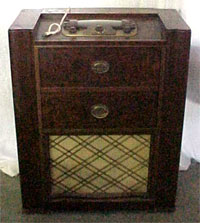
In 2038 we’ll likely be weaving tales for our grandkids about how we used to instant message with paper notes instead of our brainwaves and how, when we were really little, stereos were once considered nice furniture pieces. They may be especially interested because, if Richard Wilcox is right, all the really important computers just dialed back to 1901. Couldn’t say Wilcox didn’t give us ample warning. This link is supposed lead to a post he made in 2003, describing how our 32-bit world is destined to crash on a level a bit more catastrophic than the trumped up worries of December 1999. Unfortunately, due to an unexpected surge from Reddit users recently discovering the post themselves, Earthlink has pulled the plug for exceeding monthly traffic allotment.
Here's the cached copy. Impending crises need at least a 30 year run-up—we knew there’d be an energy crisis for at least that long, right?—and it’s not too early to sound the alarms on this one. It may sound unlikely, we’re already Moore’s Law generations past 32-bit systems; just think what we’ll be running three decades. I generally preferred words to math and programming, so talk of “signed integers” and “time_t” is lost on me, but I did gather from Wilcox’s post that at eight seconds past 3:14 a.m., on January 19, 2038, most computers in the world will think it’s actually a quarter to 9 p.m. on December 13, 1901. That’s a big, big problem, and apparently a more complicated one than what we faced in 2000. “So, if all goes normally,” writes Wilcox, “19-January-2038 will suddenly become 13-December-1901 in every time_t across the globe, and every date calculation based on this figure will go haywire. And it gets worse. Most of the support functions that use the time_t data type cannot handle negative time_t values at all. They simply fail and return an error code. Now, most ‘good’ C and C++ programmers know that they are supposed to write their programs in such a way that each function call is checked for an error return, so that the program will still behave nicely even when things don’t go as planned. But all too often, the simple, basic, everyday functions they call will ‘almost never’ return an error code, so an error condition simply isn’t checked for.” Why won’t we beyond 32 bit by that time? Also included in the original post is an explanation about the expense of building new systems and how computer companies tend to rely on cheap, older technology for building basic new technology. In this case, some technology in use in 2038, might span all the way back to the 1970s.Hey babe, dust off Dad’s old 8-track so we can share some Earth Wind & Fire magic with the grandkids.

Windows Server 2008 R2 beta airs

Among the features in Microsoft's client OS companion is DirectAccess, which lets Windows 7 PCs directly connect to intranet-based resources without a VPN By John FontanaJanuary 08, 2009 Lost in the Windows 7 hype, Microsoft also released the beta of Windows Server 2008 R2, which is the companion to the client OS. Watch a slideshow of eight tools that make Microsoft shops run smoother. [ The big Microsoft story: The release of the Windows 7 public beta ] The company is aligning Windows Server 2008 R2, which briefly was referred to as Windows Server 7, and the client OS Windows 7 although Microsoft officials have not said if they will ship together. But users who adopt both will get new security, network, and other features although some of those will require network upgrades like implementing IPv6. The R2 beta's integration with Windows 7 is high on the server's feature list. The integration points include a laundry list of features including DirectAccess, which lets Windows 7 PCs directly connect to intranet-based resources without needing a VPN connection. While DirectAccess could eliminate VPN infrastructure, users will have to support IPv6 and IPSec on their network in order to access intranet resources. Bill Laing, Microsoft's vice president of Windows Server and systems, said late last year that a company's entire network does not have to be IPv6 for DirectAccess to work. The client nodes and some of the network nodes for tasks such as authentication have to support IPv6. But he did add that users will also need to support IPSec. "DirectAccess is a compelling feature, but there is infrastructure work you need to do and it will take time to roll this out," Laing said. Other Windows 7 integration points with R2 include Branch Caching, which caches frequently used content on a branch-office network; a read-only Distributed File System to improve branch office security, power management via Group Policy, BitLocker drive encryption for USB drives referred to as BitLocker To Go, and an Offline Folders feature for mobile users. Unique to the server side, the R2 release includes support for Live Migration, a much anticipated feature add-on to Hyper-V. Not only will the feature help Microsoft match similar tools already available from VMware and open source hypervisor platforms, Live Migration is key for availability and scalability in the VDI (Virtual Desktop Infrastructure) support coming in R2 server. Another key VDI component is Remote Desktop Services, formerly called Terminal Services, which allows users outside the intranet to connect to desktops and application running inside virtual machines on a server. RDS includes the Remote Desktop Connection Broker, an upgrade to the Windows Server's Session Broker, an administrative set-up tool for both server-based virtualized desktops and traditional Terminal Services remote desktops. Microsoft is building its VDI infrastructure on the back of the Connection Broker, Hyper-V and Virtual Machine Manager. RDS fits in a loose grouping with Microsoft's other virtualized desktop software that is part of its popular MDOP (Microsoft Desktop Optimization Pack), which includes App-V and Enterprise Desktop Virtualization. Also included are power management features called Core Parking, and deeper integration with PowerShell. Microsoft is also working on application virtualization for the server, but it will not be part of R2 server. Also not in the release is technology Microsoft acquired when it bought Calista Technologies, which delivers 3D graphics, such as Vista Aero Glass, and multimedia support to virtualized desktops. Network World is an InfoWorld affiliate.

Hello World

Every new programmers have to write "Hello World" when compiling first programs.


I want to say "Hello World" My Own Blog , i feel begining to programing languages or Bloging Languages :)


Have a nice day...